
Contact Us
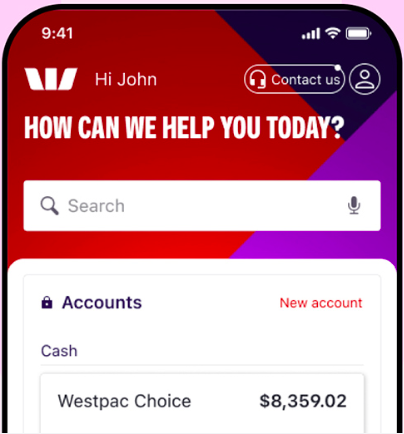
Life moves fast, support should, too – it takes a little Westpac to connect you straight to the relevant team when you contact us through the app.
I want to...
Activate physical card
Report card lost, stolen or damaged
Update contact details
Report fraud, scam or dispute
Get support with tough times
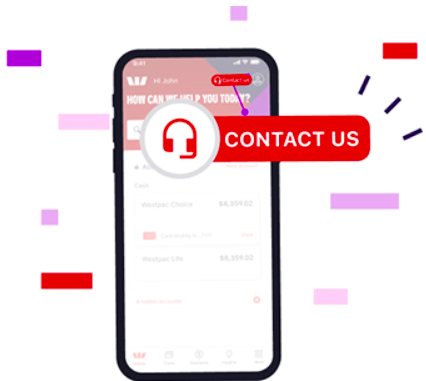
How to Contact us in the App
Make sure you have the latest version of the app.
- 1. Tap Contact us at the top of the home screen
- 2. Select Chat with us or select your topic under Call us now
- 1. Select Chat with us on the main dashboard
Other contacts and support services
Locate us
Turn on SafeCall
SafeCall is designed to let you know it's us calling – so you can answer with confidence, stay in control and avoid Westpac impersonation scams. Search 'SafeCall' in the Westpac App to see if you're eligible.
Show me howCalling from overseas
If you are overseas, you can contact us in the Westpac App for a fast and secure way to get in touch.
Remote Indigenous call centre
Our mob are ready to help you 9am–6.30pm, Mon–Fri (ACST). They can also arrange a free translator in some languages.
Contact us securely
Call us from the Westpac App to get verified faster and talk to the right person.
Any questions?
Find your answers faster in our popular FAQ topics.
Locate a branch
Looking for us in person? Find your nearest branch using our branch finder.
Things you should know
Read the Westpac Online Banking Terms and Conditions (PDF 745KB) at westpac.com.au before making a decision and consider whether the product is right for you.
iPhone, iPad, iPod touch and Apple Watch are trademarks of Apple Inc., registered in the U.S. and other countries. App Store is a Service mark of Apple Inc.
Android, Google Play and the Google Play logo are trademarks of Google LLC.